CS2D via Plasma Screen
16 replies
1

12.04.12 04:35:27 pm
Alright, so i bought a new T.V a while ago, and decided I'd connect it to my PC & run CounterStrike2D. Now everything runs perfect, except there's one problem:

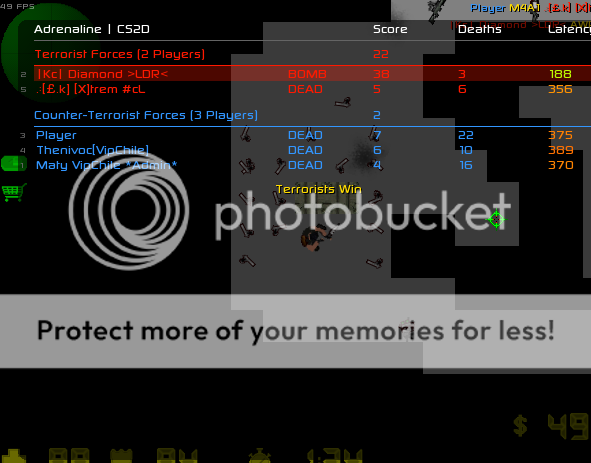
I can only see half my HP, Money, & kills in the top right corner. I've tried changing resolution, but still no luck. I was hoping DC or someone would have a solution.
Correct resolution on your TV. It's famous "16:9 versus 4:3" aspect ratio issue. You need to set correct aspect ratio, it should be 4:3 according to CS2D screen resolution. Try different ones until you find one that fits CS2D.
Unreal Bash - http://bash.oxy2d.com/
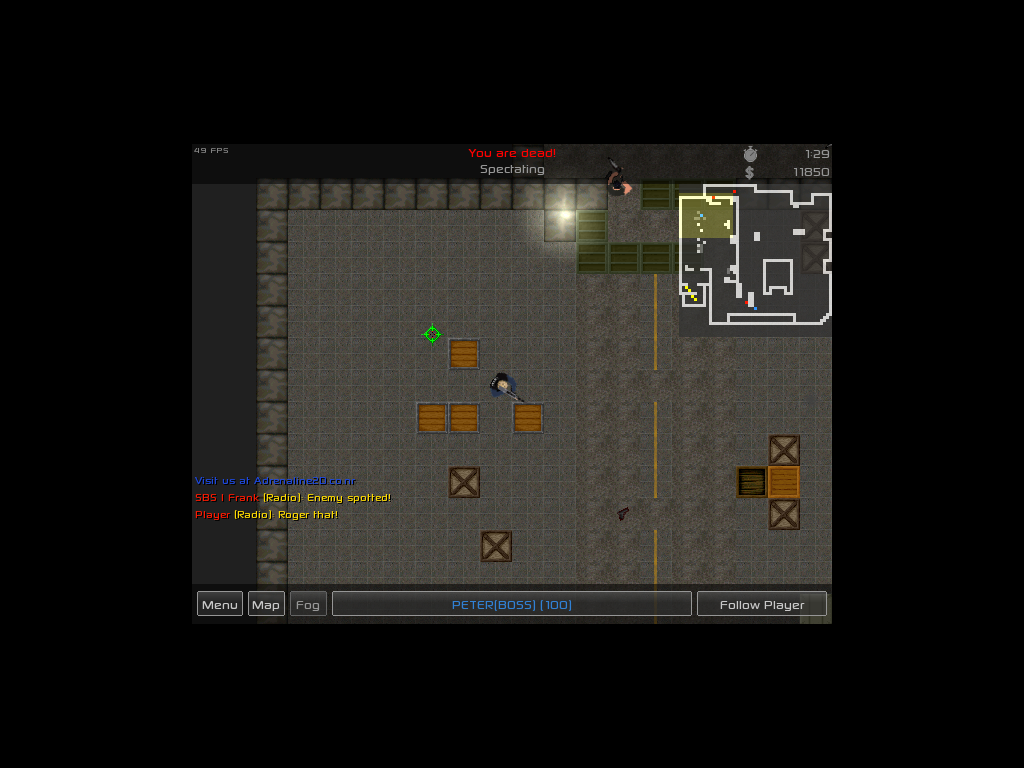
yeah the screen doesn't run properly with a 640x480 resolution. either change the settings of the TV or start CS2D with the -w X and -h Y parameters to set a custom resolution which is displayed properly on your TV (you will see black borders that way but nothing will be cut off)
DC has written:or start CS2D with the -w X and -h Y parameters to set a custom resolution
Alright, so i just tried out the following:
-w 800 -h 600 = http://i216.photobucket.com/albums/cc81/diamond_xr6/rrrrrrrrrrrrrrrrrrrrrrrrrr.png
-w 1024 -h 768 = http://i216.photobucket.com/albums/cc81/diamond_xr6/rrrrrrrrrrrrrrrrrrrrrrrrrr.png
-w 1300 -h 768 = Graphics error
Any suggestions?
edited 1×, last 12.04.12 09:10:58 pm
as I already mentioned: you'll always see that black border because the screen ratio of cs2d is simply not the same as the screen ratio of the tv.
so even with the perfect settings you'll either have a black border at top and bottom or left and right (probably left and right). or you find a setting in your video card or tv that makes it stretch the video output so it takes the full space available. read the manual or use google to find out how that works (if it's even possible)
I'm sorry for this but how could you enjoy playing with that graphics :S.
انت خسرت وقتا مهما، فقط لتترجم هذا النص، هاها.
Ahmad has written:I'm sorry for this but how could you enjoy playing with that graphics :S.
Are you referring to my custom tiles? If so, I play competitive CS:2D. I've been playing since 2004.
I like to keep everything nice & simple. With the grey tiles, I can see everything perfect, I don't get distracted at all. It's also good for tracking enemy bullet lines off-screen over the grey background. Normal DE_CS2D tiles are yellow, so are the bullets, so it's hard to find where your opponent is shooting from if you know what I mean.
But yeah, I play better with the grey tiles. It does look ugly, but hey, I play better, & that's all that matters.
Sparty has written:Why does everything think, you gotta sign up to UnrealSoftware as soon as you start CS2D? I started in 04, but didnt sign up to UnrealSoftware til 2006.
I was 13 years old, i didnt even know what Firefox was, let alone UnrealSoftware.
@DC: Thanks for the help, I tried fixing the T.V settings, went on Google, but still couldn't find a solution. I'll just get used to playing in this window. You can close the topic now, no need for further comments.
Snurq has written:Are you referring to me?
On-Topic this thread may be of some use: http://www.tomshardware.com/forum/327790-33-black-border-dell-monitor-hd6770-help (assuming you didn't remove CCC (Catalyst Control Center))
edited 1×, last 15.04.12 09:43:58 am
1


CS2D via Plasma Screen